K12 Wellness
← All programs

PHONE POLICIES & HEALTHY TECH HABITS

The Commons

Clear phone boundaries. Healthier technology habits.

Automatically limits distracting apps and websites using your school’s schedule and campus boundary. Students keep their phones, approved tools remain available, and digital citizenship curriculum and staff development help schools build healthier technology habits.

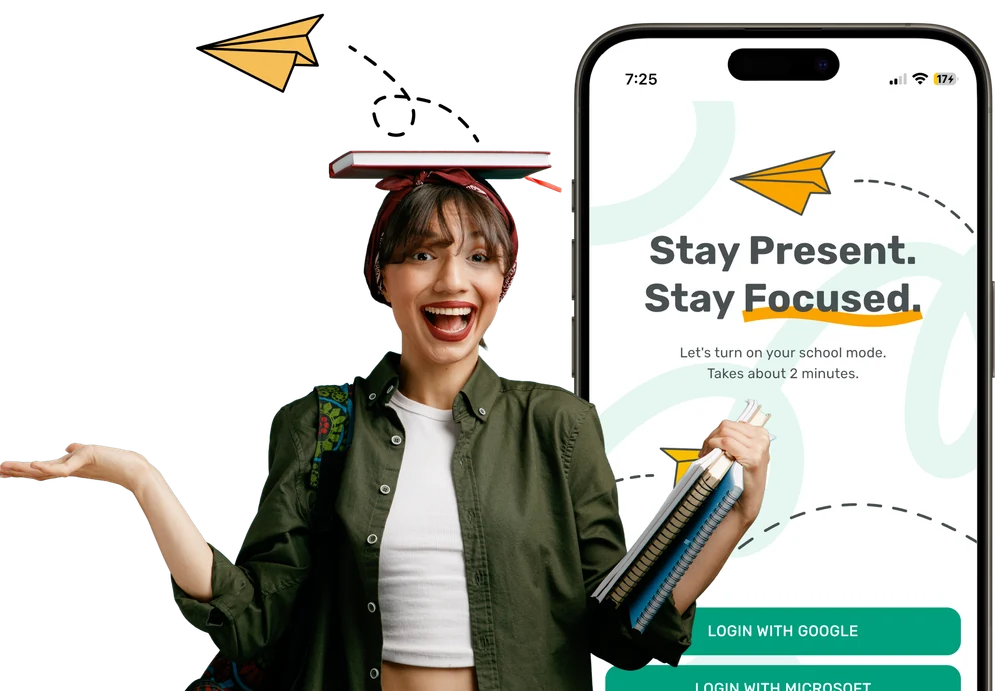
The Commons app’s school-mode welcome screen alongside a student holding books
Audience
K–12 schools and districts
Activation
School schedule and campus boundary
Approach
Phone policy and healthier technology habits

THE PURPOSE

Support the behavior behind the phone policy.

A phone policy establishes expectations. Students also need opportunities to build the habits behind them. The Commons combines automatic restrictions on distracting apps and websites with digital citizenship instruction and staff development. Students keep their devices while schools set clear boundaries for their use. That gives school teams a way to protect learning time and help students practice more intentional technology use.

WHAT’S INCLUDED

Consistent boundaries. More room for learning.

Automatic School Mode

After setup, restrictions activate according to the school’s schedule and campus zone. School Mode ends when students leave campus or the school day ends. Teachers can focus on instruction without collecting devices, unlocking pouches, or asking students to activate restrictions at each classroom door.

School-defined access and accommodations

Schools choose which apps, websites, and phone functions remain available. Approved academic, medical, and accessibility tools can stay accessible, with individual exceptions for IEPs, 504 plans, and other needs. Phone calls remain available; texting and other functions follow school policy.

Visibility for school leaders

The dashboard shows whether students are paired and participating, whether required settings are enabled, and whether the app is communicating. Notifications flag removed settings or devices that are no longer participating, so staff can follow up through the school’s established procedures.

Digital citizenship and staff development

Digital citizenship curriculum and professional development support the work beyond app restrictions. Schools can connect clear phone boundaries with instruction in balance, accountability, and healthier technology habits, while helping staff establish consistent expectations.

Privacy built into the approach

The Commons does not access students’ messages, photos, contacts, or browsing history. The phone’s operating system detects campus entry and exit; The Commons receives those events and their times, rather than GPS coordinates or movement history.

A coordinated rollout

Students install the app on the devices they bring to school, and school leaders configure schedules, approved access, and participation through the dashboard. Our team can help you plan family communication, student onboarding, accommodations, staff preparation, and technical review.

IN YOUR SCHOOL

How it can fit your team’s work.

  1. 01

    Define

    Set your school’s phone expectations, schedule, campus boundary, and approved exceptions.

  2. 02

    Prepare

    Introduce the approach to families and staff, connect student devices, and review required permissions.

  3. 03

    Automate

    Apply School Mode through the school schedule and campus zone, with approved tools available.

  4. 04

    Reinforce

    Use participation information, digital citizenship instruction, and staff follow-up to build consistent routines.

RESEARCH & APPROACH

School experience. A focus on healthier habits.

Co-founders Shannon Godfrey and Julia Gustafson previously worked at Yondr, helping schools address student phone distraction. That experience shaped The Commons: a way to establish phone boundaries while keeping devices with students and reducing the logistics of physical storage.

The approach draws on behavioral science and digital wellness, pairing clear boundaries with student agency and opportunities to practice self-regulation. Digital citizenship curriculum and professional development connect the school’s policy with the behavior it is trying to build.

Implementation starts with your school’s expectations, student needs, and staff responsibilities. Our team can walk through automatic activation, exceptions, participation reporting, and the instructional resources with your leadership and technology teams.

Ask about the research and implementation

COMMON QUESTIONS

More about The Commons.

Do students keep their phones?

Yes. Students retain their devices. School Mode restricts distracting apps and websites according to the school’s rules, while preserving approved access. There are no phone pouches, lockers, or collection routines to manage.

Does it require a daily tap-in or classroom code?

After installation and the required setup, School Mode activates automatically through the school schedule and campus boundary. Students must keep the app installed and required settings enabled. School leaders receive notifications when a device needs attention.

What happens if a student removes the app or changes settings?

The dashboard and notifications help staff identify devices that are no longer participating or have required settings disabled. The school determines the response under its own phone policy and student handbook.

Can students access medical tools or make calls?

Phone calls remain available. Schools can preserve approved medical, academic, and accessibility tools and configure individual accommodations. Our team can help you review the access students need and the school’s communication procedures.

Can administrators read messages or track students?

No. Administrators see operational information needed to manage participation and required settings. They cannot see personal messages, photos, contacts, browsing history, GPS coordinates, or movement history.

Is it only an app-blocking tool?

The Commons also includes digital citizenship curriculum and professional development. These resources help schools connect phone boundaries with instruction, student responsibility, and healthier technology habits.

LET’S START WITH YOUR PRIORITIES

Learn more about
The Commons.

Share your priorities and questions about The Commons. Our team will help you review the program and the next step.

info@k12wellness.com ↗

K12 Wellness
Supporting schools and community partners.

Opens your email app with your message ready to review and send.